Subscriptions
The new forum is entirely web based and there is no mechanism to submit posts by email. There is however a mechanism to receive emails alerting you to new content. This is controlled by the “Subscription” mechanism.
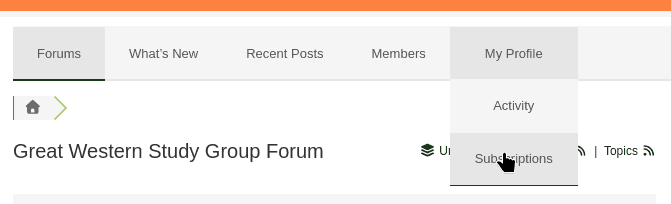
To access the subscription controls, from the forum menu select “My Profile -> Subscriptions”
Any current subscriptions are displayed and can be adjusted.
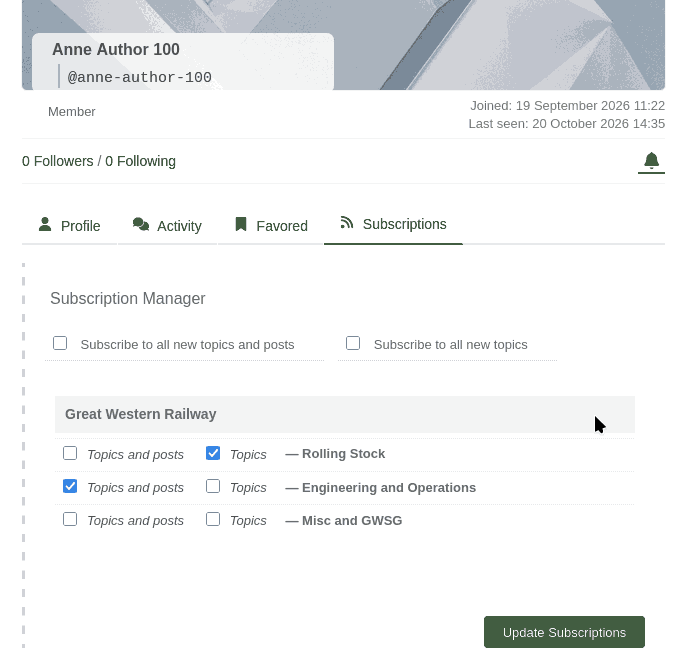
As you can see, there is one line for each sub-forum and in each case you can choose to be alerted to new topics, or new topics and posts or not at all. Don’t forget to click the “Update Subscriptions” button to confirm your new choice. You will then receive emails with the content of any new posts or topic starters. Images are not included in these emails, but they contain a link to take you to the relevant image.
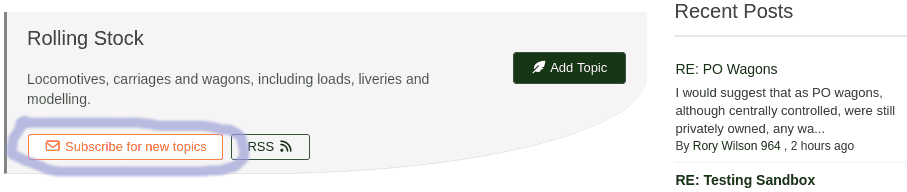
You can also choose to subscribe to a sub-forum using the button on the relevant sub-forum header.
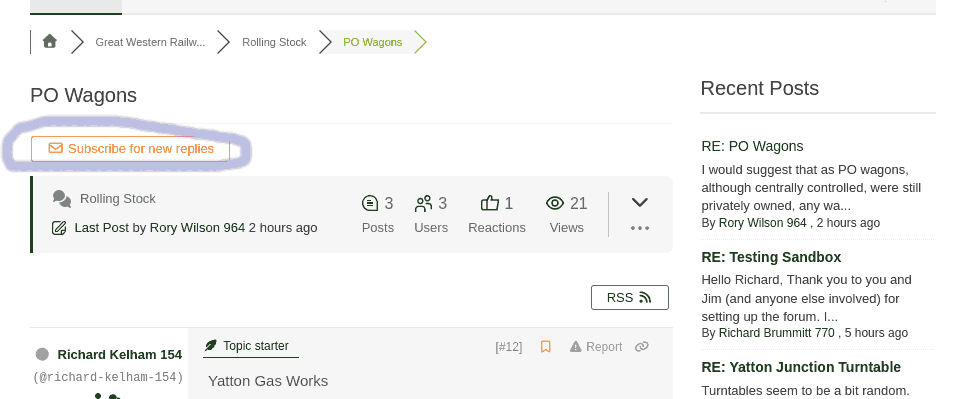
If you want to subscribe to a particular topic there is a button in the topic header. Once selected it changes to a button which says “Unsubscribe”
These mechanisms give you fine control to be alerted only to items in the forum which you might find interesting. A popular strategy might be to subscribe to the sub-forums for topics only and then when someone posts a topic which grabs your interest to subscribe to posts in that particular topic.
Mentioning and following
These mechanism are for alerts related to particular members.
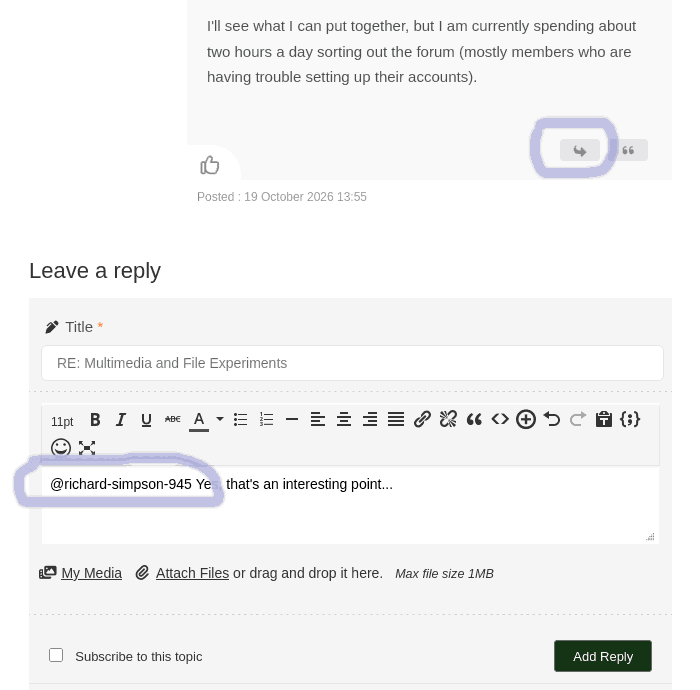
Below each person’s name is a hyphenated version with an ‘@’ sign – for example “@richard-simpson-945”. If you enter this exact text into a post then when it is posted that person will receive an email alert informing them that they have been “mentioned” in a post. This mechanism allows you to easily draw a particular member’s attention to something which might interest them.
These hyphenated names are also automatically included in a reply f you use the alternative way of replying to a post via the arrow icon, as per the example below.
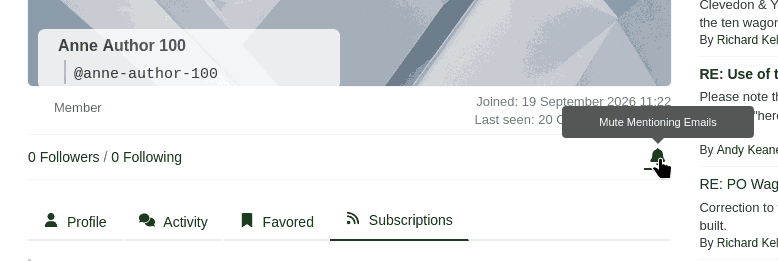
In the unlikely event that you don’t want to receive these “You have been mentioned” alerts then you can switch them off. Go to your subscriptions page as described earlier and click the small bell icon.
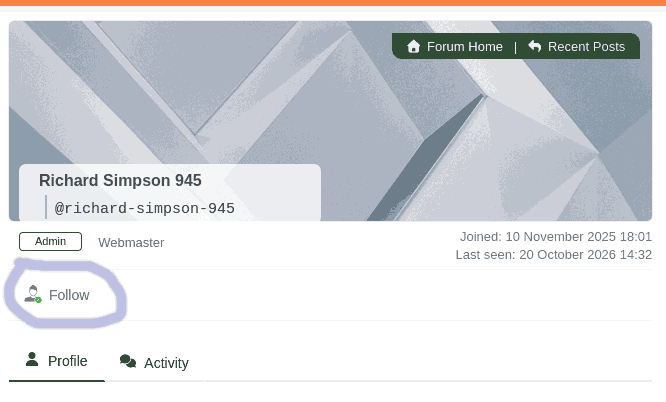
Supposing that there is a member whose wit, erudition and indeed grammar you find particularly compelling. You can choose to “follow” them and in this case you will receive an email alert whenever they post anything anywhere on the forum. Click on their name next to one of their posts to go to their member page and select “Follow”.
Conclusion
As you can see, the new forum has far more functionality than the old Groups.io one. In this user guide I have covered everything that the great majority of members will need. There are more features which are less useful and I haven’t covered and which you can explore for yourselves. There is even more which isn’t relevant to GWSG and has been switched off to simplify the interface.
I remain available to answer questions and assist members who may be having problems so please get in touch if you need help.